CASE STUDY
How MAPFRE turned learning into sales with isEazy

Author
The #1 AI-powered authoring tool on the market

Factory
Custom e-learning content factory

Skills
Comprehensive power skills course catalog

LMS
All-in-one LMS platform with AI

Engage
App for managing frontline teams

Game
Gamification app for business
FEATURES

AINew
Unlock your full potential and speed up course creation with artificial intelligence.

Accessibility
Automatically meet accessibility guidelines—without sacrificing interactivity!

Interactivity
Boost engagement with interactive, ready-to-use activities that make learning fun.

Course Creation
Reduce the time it takes to create your e-learning courses with our authoring tool.

Distribution
We offer you different distribution options, so that nothing can stop you.

SCORM
Publish your course in SCORM format and share it on any LMS.
SERVICES

Instrucional Design
Surprise your students with multimedia and interactive content.

Custom Courses
We create e-learning courses for you—tailored to your needs and hassle-free!

Virtual Reality
Turn learning into an immersive experience.

Custom Avatars
Give your courses and videos a unique touch with personalized avatars.

Audiovisual FactoryNew
Turn training into something dynamic and visual with engaging videos.
CATALOG
Course catalog
Over 600 skills and competency courses to help you adapt to your team's needs.

Microsoft Copilot AcademyNew
Your professionals will learn how to apply Copilot AI to key processes within your organization.
Artificial Intelligence Academy
Train your teams in the practical use of AI to boost productivity and innovation in your company.

Cybersecurity Academy
Capacita a tu empresa con el catálogo más completo en seguridad digital corporativa.
FEATURES

Quizzes & Games
Turn your training into an engaging Q&A game.

Challenges & Competitions
Enhance learning through friendly peer challenges.
Rewards & Incentives
Motivate employees with points, levels, and leaderboards.
Social & Collaborative
Strengthen team connections with interactive social dynamics.

KPIs & Analytics
Track and optimize your training initiatives instantly and effortlessly.

Use cases
Choose the solution that best fits your needs

Industries
Solutions for all types of industries
USE CASES
Onboarding
Facilitate the onboarding process, productivity and engagement of your new employees.
Upskilling
Boost your team's skills and prepare them for the challenges of the future with upskilling.
Microlearning
Discover all the advantages of microlearning and boost your training results.
Gamification
Enjoy addictive training that will get your professionals hooked.

Internal Communication
Improve communication in your company and enjoy an aligned and committed team.

Mobile learning
Agile, flexible, and interactive learning—built for today’s digital-first workforce.
INDUSTRIES

Banking and financial services
Training in compliance, cybersecurity, customer service, and key skills development.

Pharmaceuticals and healthcare
Digital onboarding, regulatory updates, and ongoing training for healthcare staff.

Retail and consumer
Agile and scalable training for in-store, operational, and customer service teams.

Industry and manufacturing
Training in processes, safety, and corporate culture for distributed teams.

Education and training
Digital solutions for training centers, internal academies, and corporate universities.

Technology and telecommunications
Development of technical talent, digital skills, and upskilling and reskilling programs.
CLIENTS

MAPFRE
How MAPFRE turn e-learning into sales with isEazy

Pepco
A personalised learning experience for a growing team.

BBVA
Digitisation and creation of high quality e-learning content.

Shiseido
We increase the engagement of the training with a social and gamified app.

Telefónica
Large-scale reskilling for the company's digital transformation.

Vodafone
A personalised learning experience for a growing team.
More than 1,000 companies already rely on isEazy.





MEET ISEAZY

News
Find out the latest news about isEazy: press releases, partnerships, updates...

Contact
Leave us your personal details and we will contact you as soon as possible.
About isEazyNew
Find out more about our company.
Careers
We are looking for the best talent, join our team!

Partners
Become our partner and grow your business.
INTERESTING RESOURCES

Blog
The best content on e-learning: trends, tools and key strategies.
Whitepapers
Gain valuable insights and stay ahead of industry trends.
Product releases
The latest news and releases of our e-learning products and solutions.

Glossary
Definitions of the most commonly used terms and key industry concepts.
Guides
Discover the best step-by-step tips and tricks to optimize your L&D strategy.
Webinars
Video sessions on our products, trends and more

Comparatives
Compare e-learning solutions available on the market and choose the most suitable one.

STUDY
Download the free study, developed in collaboration with Microsoft, and discover the insights.

April 7, 2026

CONTENT CREATED BY:
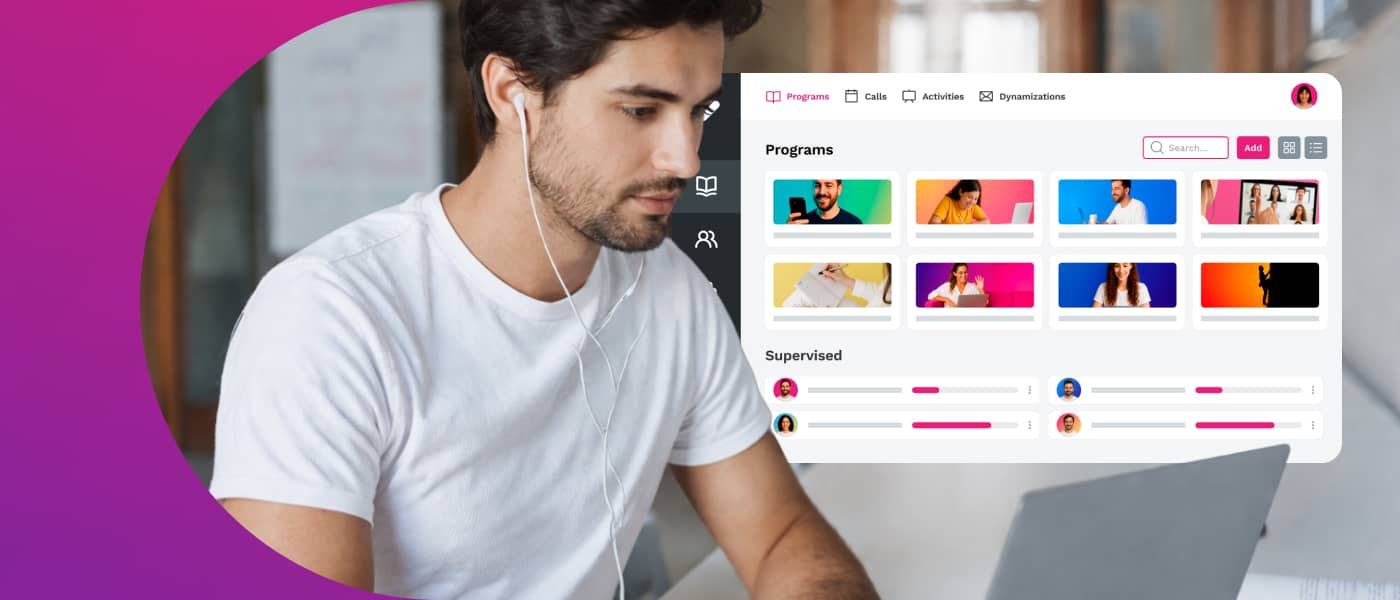
Table of contents
A virtual classroom is a digital learning environment that replicates the functions of the physical classroom: it allows training to be delivered and received in a structured, interactive and collaborative way, without the need to be physically in the same place. Participants connect from any internet-enabled device, in real time or asynchronously depending on the chosen model.
In the corporate context, the virtual classroom has become the cornerstone of employee training plans: it enables companies to upskill geographically dispersed teams, scale onboarding programmes, roll out compliance training and develop leadership skills — without the cost and logistics of in-person training.
Virtual classrooms have evolved from being an alternative to classroom training to becoming the primary learning format in organisations. According to the LinkedIn Learning Workplace Learning Report 2024, 89% of L&D professionals consider proactive skills development a priority — and the virtual classroom is the channel that makes this possible at scale.
The main uses in corporate environments are:
In all these cases, the virtual classroom provides something in-person training cannot: traceability, scalability and accessibility for every employee, regardless of location or schedule.

Not all virtual classrooms work the same way. Understanding the differences is key to choosing the right model for each training need:
| Type | How it works | Best for |
|---|---|---|
| Synchronous | Live sessions: trainer and learners connect in real time via video conference | Leadership training, team coaching, high-interaction programmes |
| Asynchronous | Learners access content at their own pace, with no fixed timetable | Compliance, onboarding, product training, large-scale rollouts |
| Hybrid | Combines live sessions with self-paced modules, assignments and collaborative forums | Multi-week development programmes, blended learning |
Not every platform that hosts digital content is a true virtual classroom. These are the features that define a professional virtual classroom for corporate use:
A virtual classroom that combines these features becomes a genuine corporate learning platform — not just a content repository.
One of the most common points of confusion in L&D teams is the relationship between virtual classroom and LMS. This table summarises the key differences:
| Virtual classroom | LMS | |
|---|---|---|
| Main function | Space where learning takes place | System that manages the training process |
| Focus | Learning experience and interaction | Administration, tracking and reporting |
| Typical user | Learner | Training manager, HR |
| Relationship | Usually included within the LMS | Encompasses the virtual classroom and more |
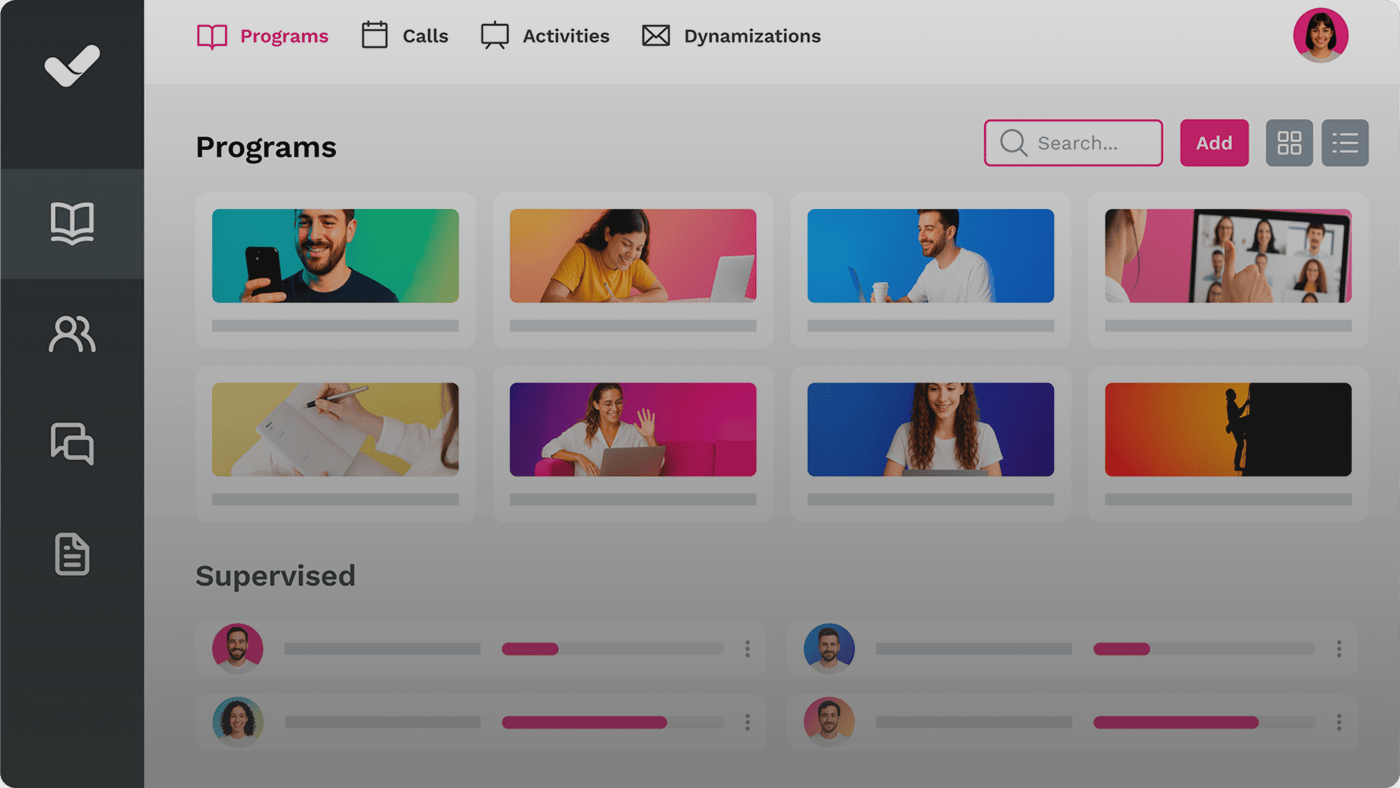
In practice, the boundary between virtual classroom and LMS has blurred. Modern platforms like isEazy LMS combine both functions: they are the learning space for the learner and the management system for the L&D team — in a single, integrated solution.
Adopting a virtual classroom in companies is not just a technology trend: the data supports its impact on concrete business outcomes.
MAPFRE is a good example of how a virtual classroom enables corporate training to scale without losing coherence or quality. As a company committed to innovation and sustainability, MAPFRE sought to implement advanced technological solutions to enhance the customer experience and its internal processes.
The implementation of Aul@ MAPFRE — the e-learning platform designed by isEazy specifically for MAPFRE Seguros brokers and commercial partners — emerged in response to the need to provide an accessible, intuitive and effective space for the ongoing training of its commercial teams. Aul@ MAPFRE acts as the nerve centre of their training, bringing together key information about the company and its products in a clear, structured way.
Setting up an effective virtual classroom requires minimal planning to avoid the most common mistakes. This is the recommended process:
A virtual classroom that is set up without a clear training strategy will become a content repository that no one uses. The technology is only as good as the strategy behind it.
Most failures in virtual classroom implementation are not due to technical problems, but to design and change management decisions. These are the most common mistakes according to L&D teams:
The good news is that all of these mistakes are avoidable with proper planning and the right platform. isEazy LMS is designed to prevent the most common implementation errors: intuitive interface, mobile-first design, automatic tracking and integrations with the main HR systems.
The virtual classroom is no longer optional for organisations that want to build a scalable, measurable and effective learning culture. These are the five key ideas to take away:
If you are considering implementing a virtual classroom in your organisation or improving the one you already have, isEazy LMS brings together everything you need: content management, live sessions, progress tracking and advanced reporting — in a platform designed for the real learning needs of today’s companies.
A virtual classroom is the digital space where learning takes place: where participants access content, join forums, or attend live sessions. An LMS (Learning Management System) is the system that manages and administers the entire training process: enrolments, progress tracking, reporting and certifications. In many cases the LMS includes the virtual classroom as part of its functionality, but they are distinct concepts: the classroom is the learning space, the LMS is the infrastructure that supports it.
Not exactly. An online course is structured training content with objectives, modules and activities. The virtual classroom is the environment where that course is delivered and consumed. It is the difference between the building (virtual classroom) and the class that takes place inside it (online course). A virtual classroom can host multiple courses simultaneously, different groups of learners and different training formats.
The technical requirements are minimal for end users: a device with an internet connection (computer, tablet or mobile) and an up-to-date browser. For the company, the main decision is choosing between a SaaS solution (cloud-hosted, no local installation required) or an on-premise platform (installed on the company’s own servers). Most organisations today opt for SaaS solutions because they eliminate the burden of technical maintenance and allow immediate scaling.
Costs vary depending on company size, number of users and required features. SaaS solutions typically follow a monthly or annual subscription model per active user, making the cost predictable and scalable. In general, the cost of implementing a virtual classroom is significantly lower than classroom-based training when you factor in savings on travel, physical spaces and trainer time. According to the Brandon Hall Group report (2024), companies that migrate to digital training reduce training costs by 40–60% in the medium term.

Optimize your team’s training with isEazy LMS and reach new performance heights
Request a demoTry it free


Streamline your training management
Experience the power of AI in an LMS that has it all


Streamline your training management
Experience the power of AI in an LMS that has it all